WHAT BUG DID YOU FIND IN
My First 100 Words?
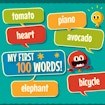
Help young learners begin their language journey with My First 100 Words, a fun and educational learning game designed to teach basic vocabulary through simple visuals, interactive word matching, and memory-based activities. Perfect for kids and early learners, this game makes learning everyday words easy, engaging, and enjoyable.
In My First 100 Words, players explore colorful scenes filled with common objects such as animals, food, toys, colors, and household items. The goal is to recognize each image and match it with the correct word, helping improve vocabulary, spelling awareness, and visual recognition skills step by step.
The game combines bright illustrations, simple controls, and guided learning mechanics to create a friendly browser-based educational experience. Whether you are a parent introducing early learning concepts or a child starting to read, My First 100 Words offers a fun and interactive way to build language skills.
Because the game runs directly in modern web browsers, players can instantly enjoy My First 100 Words on desktop computers, smartphones, and tablets without downloading or installing anything.
My First 100 Words is an HTML5 educational learning game inspired by early childhood vocabulary development tools. It is designed to help children recognize, understand, and remember the most commonly used English words through visual association and repetition.
The gameplay focuses on word recognition, memory building, and visual learning. Each level introduces new sets of words grouped into categories such as animals, fruits, colors, school objects, and daily life items. Players interact by selecting, matching, or identifying correct words based on pictures.
As learners progress, the game gradually increases difficulty by introducing more words and slightly more complex matching tasks. This structured approach helps strengthen memory retention and improves early reading confidence.
The game’s friendly visuals, calm pacing, and simple interaction design make My First 100 Words ideal for preschool learning, kindergarten education, and early English language development.
Simple visuals make vocabulary learning effortless.
Learning feels like play instead of study.
Helps build strong early language skills.
Engaging visuals keep children interested.
Play instantly on desktop and mobile devices without downloads or installations.
The objective is to learn and recognize basic English words by matching them with correct images.
Look at the picture shown
Select or match the correct word
Complete vocabulary sets
Progress through learning levels
Repeat levels to improve memory
Focus on image details carefully
Learn categories step by step
Practice regularly for better retention
Consistency helps build stronger vocabulary skills.
Free-to-play HTML5 educational game
Beginner-friendly vocabulary learning system
Fun image and word matching activities
Bright and child-friendly visuals
Easy tap-and-play controls
Early English learning support
Category-based word grouping
No downloads or installations required
Safe and family-friendly gameplay
Interactive browser-based learning experience
Although the game is simple, it is highly effective for early education.
Begin with animals, fruits, and household items.
Repetition improves word retention.
Visual association helps memory development.
Do not rush—build vocabulary step by step.
My First 100 Words delivers a gentle and engaging educational experience that combines vocabulary learning with interactive gameplay. The combination of visual association, repetition, and simple interaction creates an effective learning environment for young children.
The game’s short learning sessions and easy controls make it ideal for both classroom support and home learning activities. Whether you are introducing English to beginners or reinforcing basic vocabulary, My First 100 Words offers a helpful and enjoyable browser learning experience.
Its lightweight design ensures smooth performance across most modern devices, allowing children to learn anytime and anywhere in a safe and accessible environment.
My First 100 Words is an educational game that teaches basic English vocabulary through images and word matching activities.
Yes, the game is completely free to play online.
Yes, the game works on Android phones, iPhones, tablets, and desktop browsers.
No. My First 100 Words runs directly in modern web browsers without downloads or installations.
It is an educational vocabulary learning game designed for early learners and kids.
Yes, it is specifically designed for preschool and kindergarten-level learning.
It improves vocabulary, memory, and word recognition through visual association.
Because it makes learning simple, fun, and interactive instead of boring memorization.
No account or sign-up is required to start learning.
No, it is a single-player educational learning experience.
Play My First 100 Words instantly on HelloCoin and explore a wide collection of free educational and casual browser games for all ages.
Your privacy and online safety are important to us. Please review our official privacy policy here: